Isaac Mineo

In beta · iOS

Idio

An iPhone keyboard that learns how you type and fixes your typos on the device.

For iPhone users whose keyboard keeps fixing the wrong words: names, slang, or what they actually meant.

Visit Idio (opens in a new tab)Read the source notes

iOS · Notes reviewed 20 September 2026

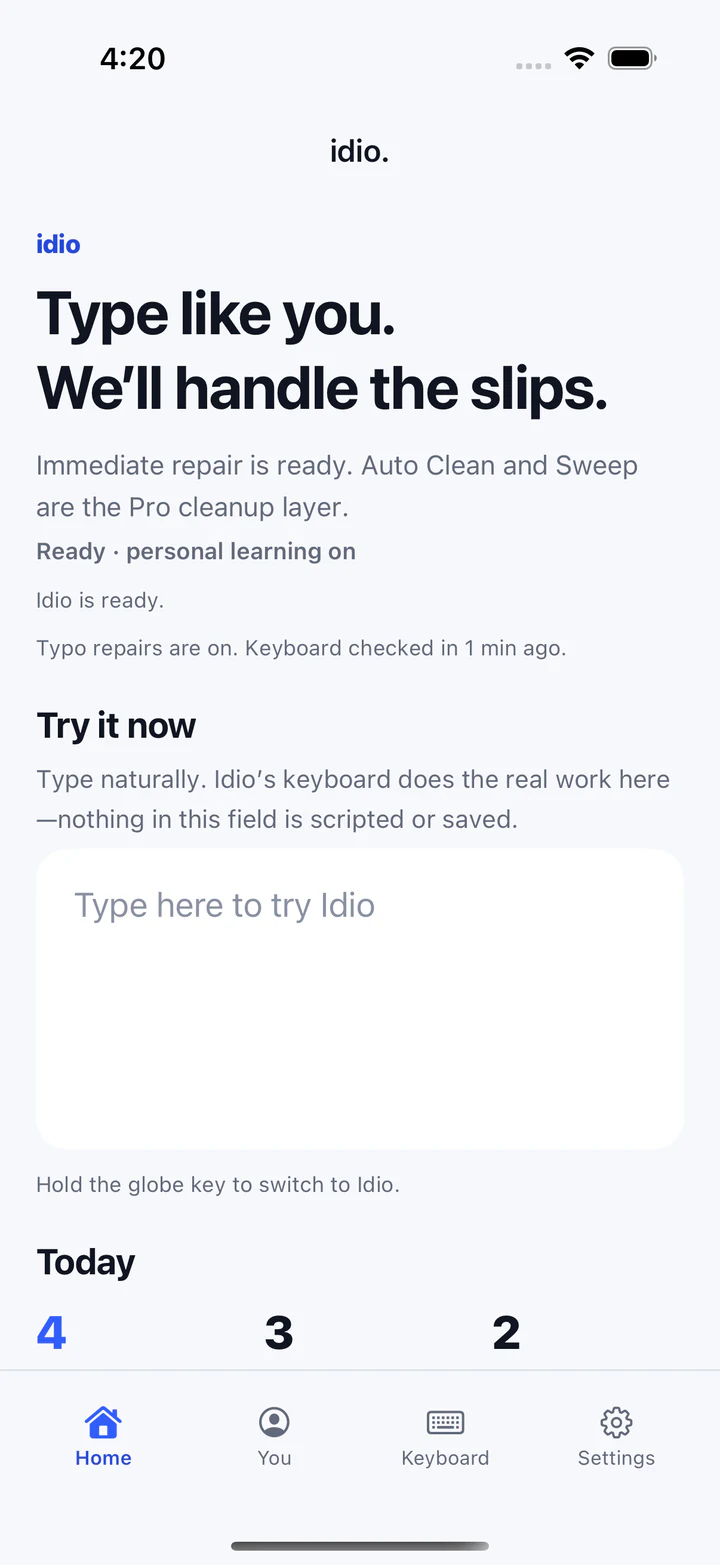
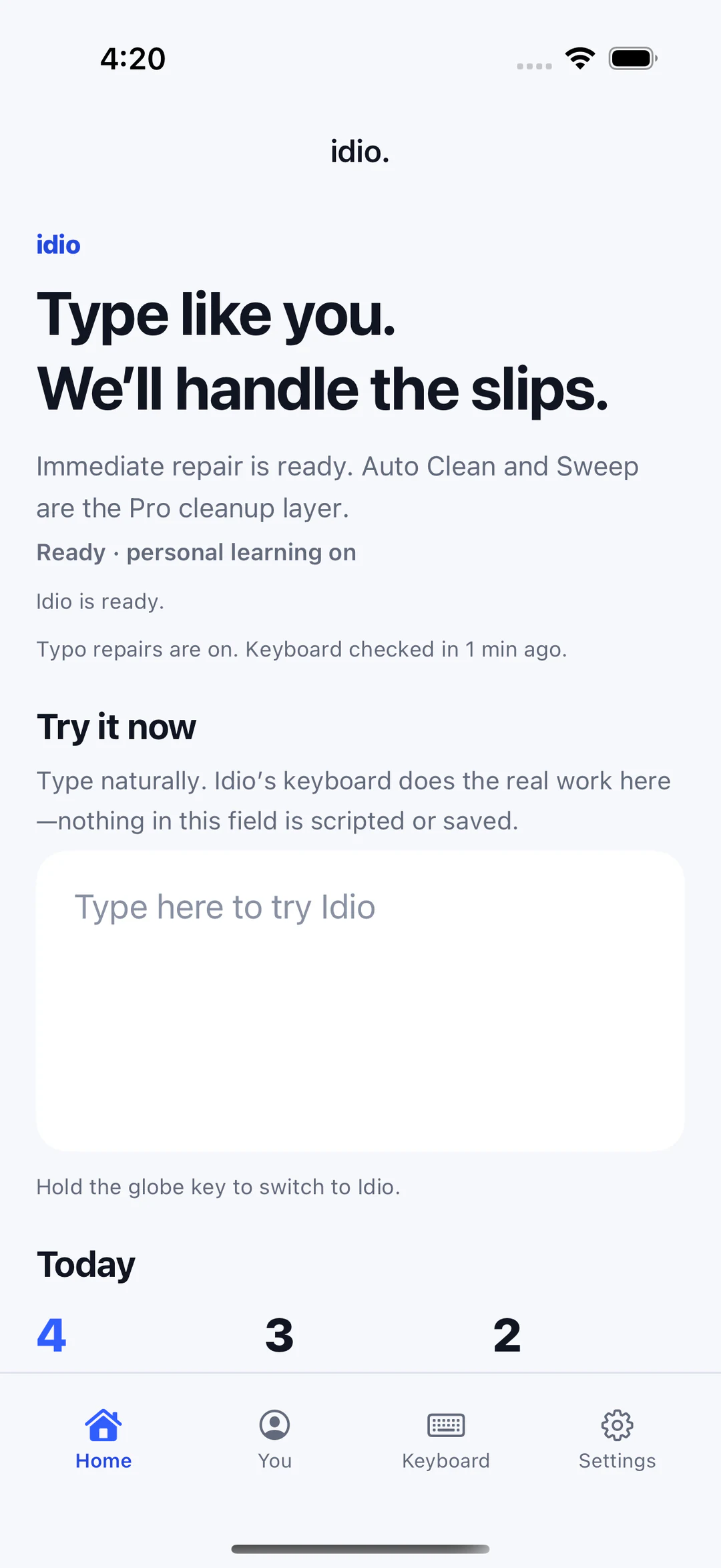
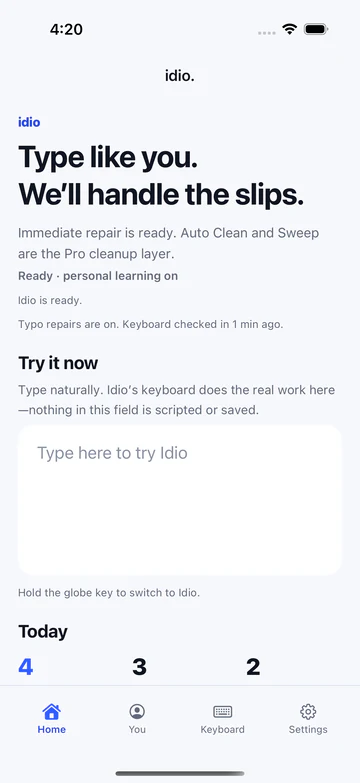
Idio home screen reading Type like you. We'll handle the slips, with a ready status, a try-it field and today's counts.
Home: whether the keyboard is ready, and a place to try it.

Your words. Fewer typos.

The problem

A keyboard can be fast and still be frustrating when it replaces names, slang or intentional wording. A system that only fixes one word at a time can also miss an earlier typo whose meaning becomes clear later in the sentence. The challenge is to use later context without freely rewriting what the person said.

The goal

Idio is an iOS keyboard for recovering the words a person intended to type while keeping the person in control. Its core work is local: touch evidence, language context, bounded correction and reversible edits.

The product

01Screen · Phone

Home: whether the keyboard is ready, and a place to try it.

iOS simulator, seeded test data, 21 September 2026.

02Screen · Phone

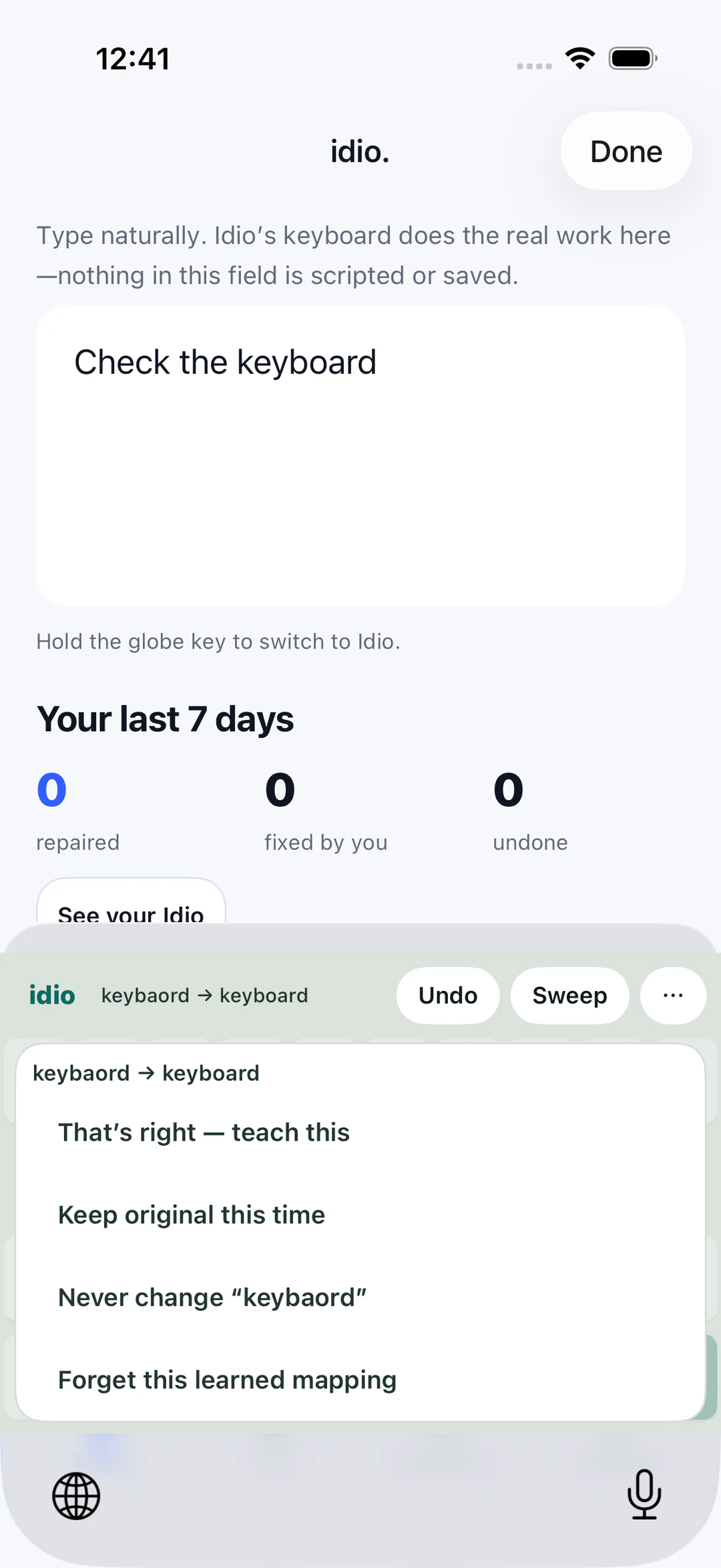
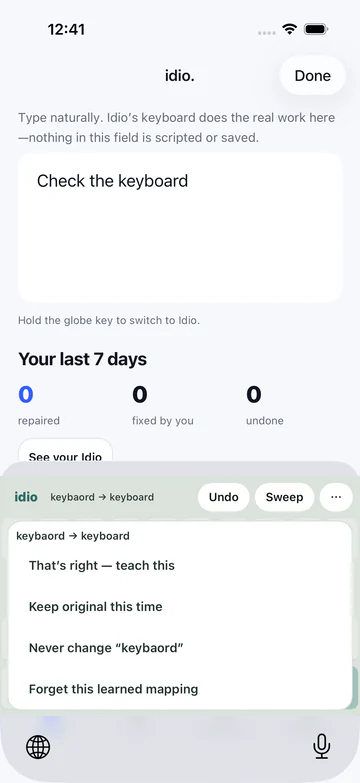
Every correction can be taught, kept, refused or forgotten.

iOS simulator, seeded test data, 21 September 2026.

03Screen · Phone

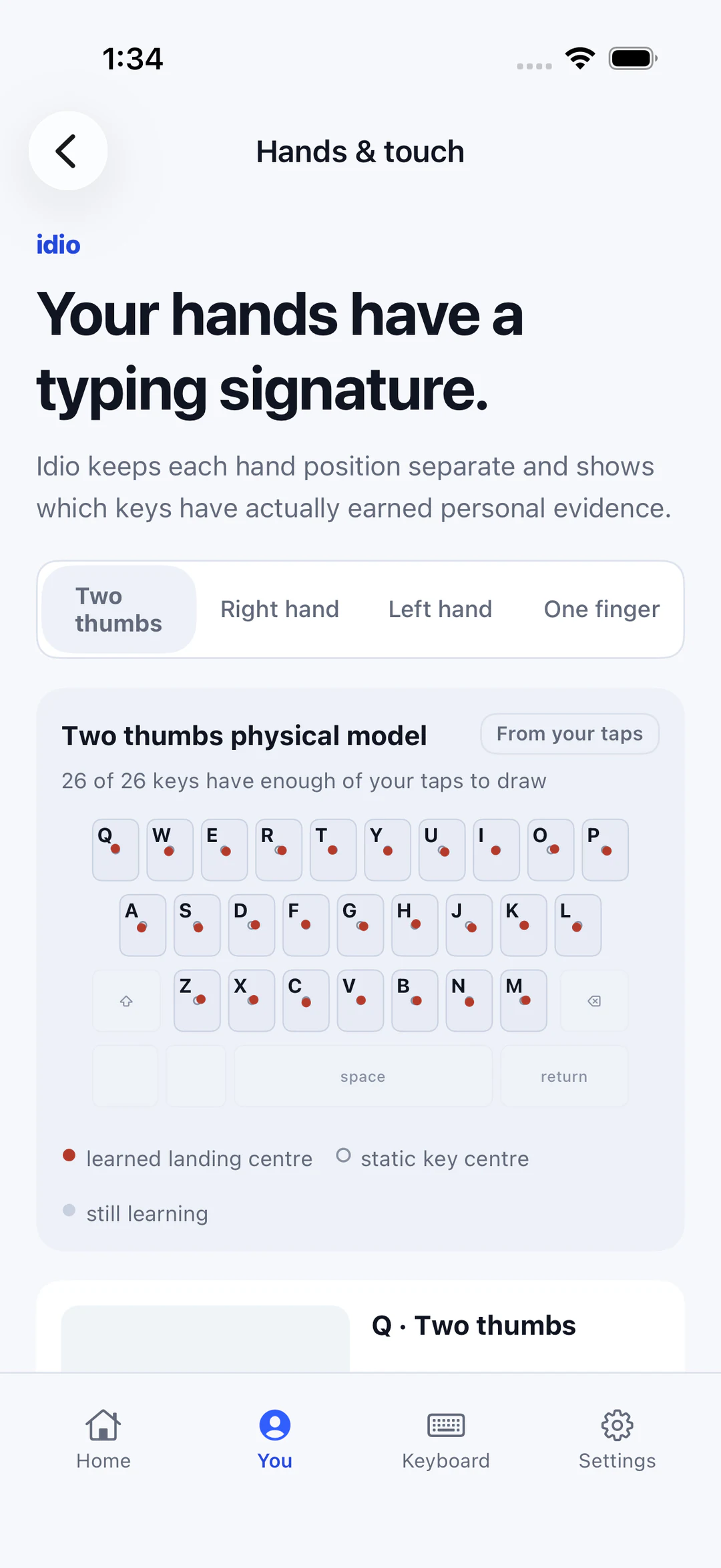
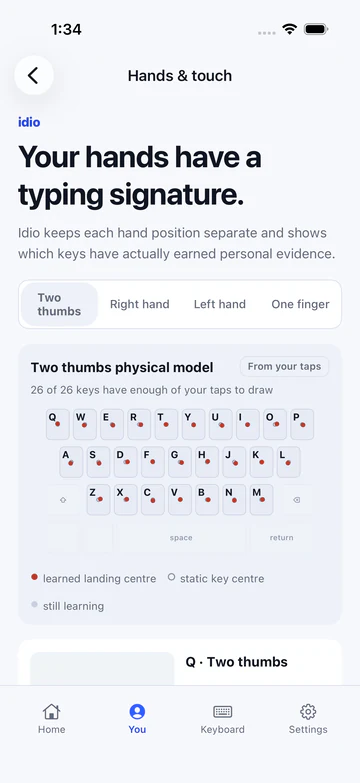
Teach Hands: where your thumbs actually land, key by key.

iOS simulator. The tap data is seeded by a test, not a person's taps.

04Screen · Phone

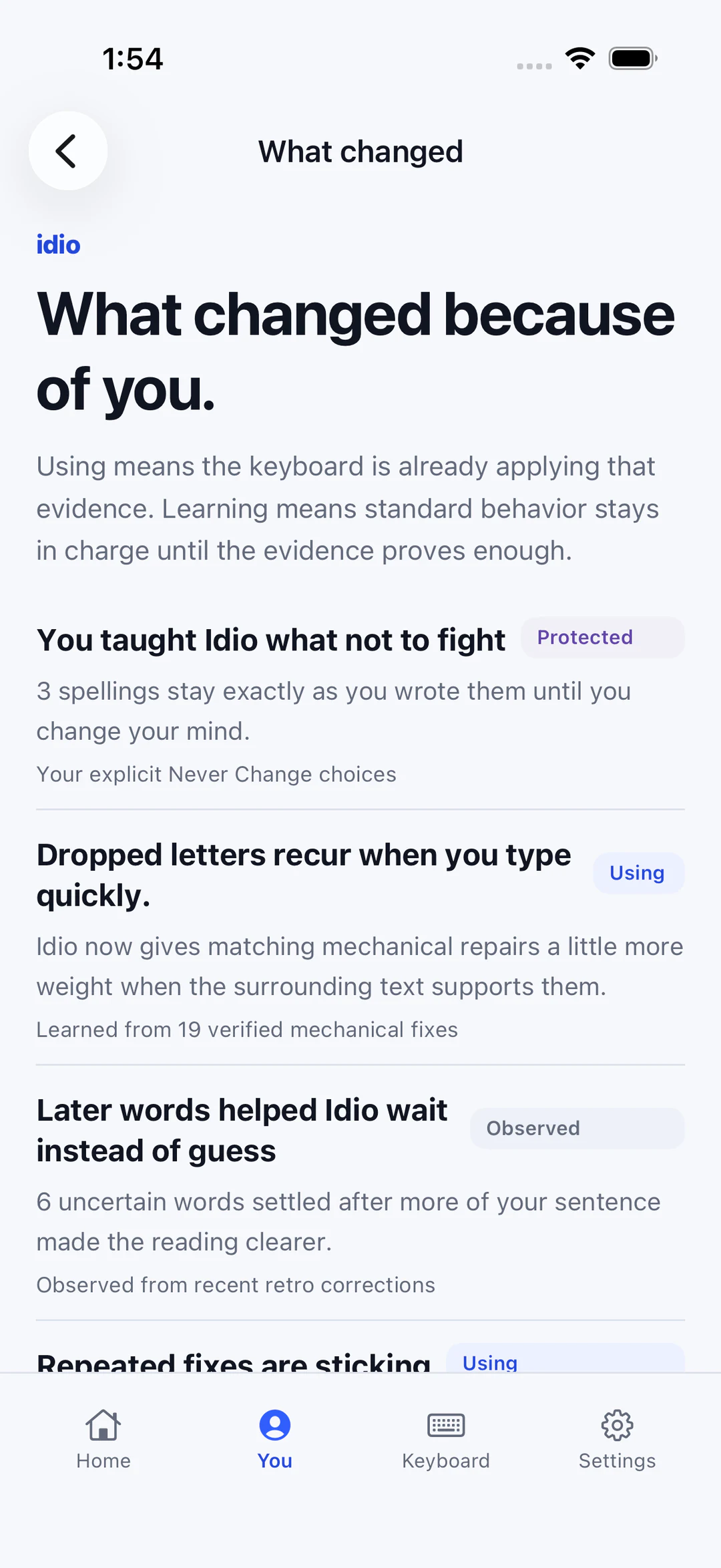
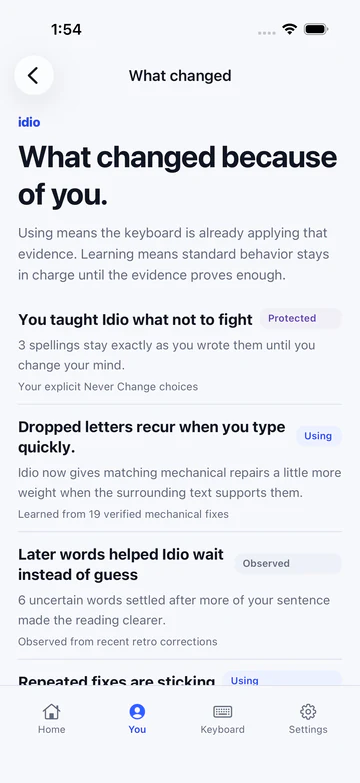
What changed because of you, and whether it is in use yet.

iOS simulator, seeded test data, 21 September 2026.

05Screen · Phone

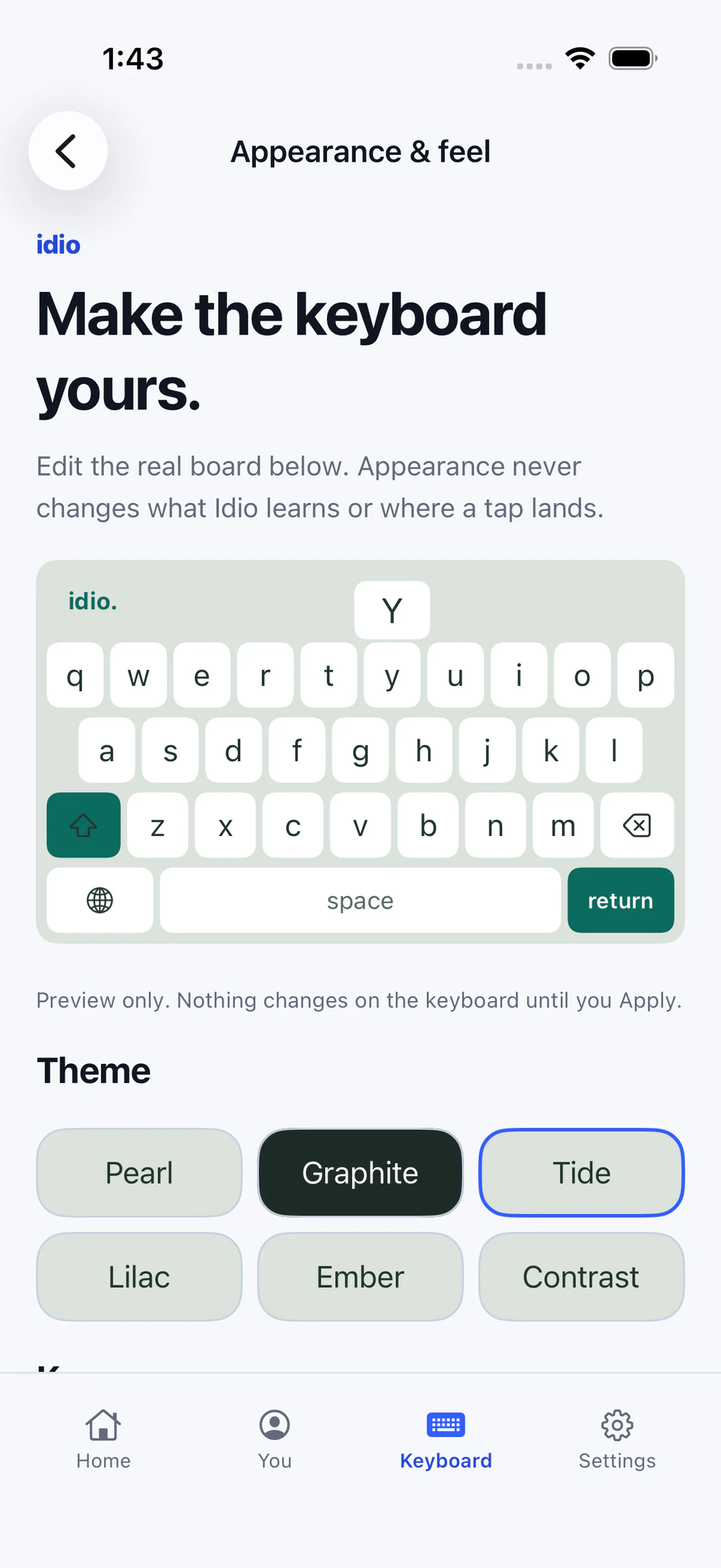
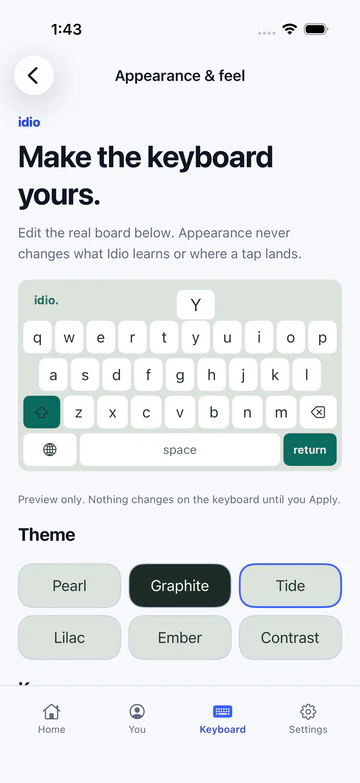
Appearance changes the board, never what it learns.

iOS simulator, 21 September 2026.

01 · System

How it fits together

The correction path runs on the phone. The model is optional and can be late.

Select a part to see what it is responsible for and what it connects to.

Every part and connection, as text
Touches Interface

Tap positions and the text being typed, inside the keyboard extension.

Personal motor model: calibration taps

Intent decoder: typed span

Personal motor model Data

Teach Hands evidence per hand position, speed and layout.

Trade-off: Coverage is not accuracy, so more samples are never shown as better typing.

Intent decoder: personal evidence

Intent decoder Service

Bounded search over candidate readings using language, personal, motor and context evidence.

Trade-off: A safety boundary can leave a typo unfixed rather than guess.

Ownership and protection: best reading

Ownership and protection Gate

Protected words, kept originals and owned-document checks decide what may change.

Reversible edit: allowed change

On-device model External

Apple Foundation Models for optional sentence review, when available.

Trade-off: A late answer is rejected if the text changed underneath it.

Ownership and protection: proposed review

Reversible edit Interface

The change lands with Undo, Keep Original and Never Change one tap away.

Personal motor model: trustworthy labels only

Idio uses native Swift and UIKit for the keyboard and companion app. The local intent decoder combines candidate, language, personal, motor and contextual evidence in a bounded search. Optional review can use Apple's on-device Foundation Models for constrained sentence review, alongside a narrower automatic cleanup path. Model availability is conditional, and deterministic behavior remains the fallback. The keyboard has no cloud dependency for its core correction path; account and sync foundations exist, but they are not released cloud features.

02

What it does

  • Personal touch learning

    Teach Hands separates hand mode, speed round and keyboard geometry. Compatible evidence is reused rather than pooled into a misleading single universal accuracy score.

  • Corrections with provenance

    Candidate scores distinguish research, personal and population context. A bounded beam search produces possible readings; an unchanged reading remains meaningful.

  • Reversible intervention

    Protected words, retained originals, owned-document checks and Undo are part of the product contract. A model preference is not permission to bypass those boundaries.

  • Optional on-device review

    It offers explicit sentence review and a narrower automatic cleanup after a pause. Availability, timeouts and fresh-document checks matter; this is not an unrestricted cloud writing assistant.

03

Built with, and why

Client

A native keyboard extension and its companion app.

Swift · UIKit · iOS keyboard extension

Intelligence

Correction that runs on the device, with an optional on-device model.

Local intent decoding · Personal motor evidence · Apple Foundation Models

Platform

Sharing state with the extension, and purchases.

App Groups · StoreKit

04

Decisions and trade-offs

Correcting intent without changing voice

Approach

The engine ranks bounded candidate readings and distinguishes personal touch evidence from broader language priors. Protected words and document ownership constrain what can change.

Trade-off

A safety boundary can leave a typo unfixed. That is preferable to pretending the system can always know the intended meaning; the user must retain an easy way to correct or undo it.

Learning from trustworthy labels

Approach

Teach Hands measures coverage within the relevant hand, speed and geometry channel. The current free-flow calibration regime rejects ambiguous or edited words as strong motor ground truth.

Trade-off

Coverage is not accuracy. A larger sample count does not prove better typing, and old calibration evidence cannot silently masquerade as evidence collected under a new labeling regime.

05

Check the work

Links checked 21 September 2026

Recorded behavior Replayed from the test suite · nothing runs here

What the test suite expects Idio to type

Switch between recorded cases from Idio's Swift tests: what was typed, what the keyboard is expected to produce, and what each correction control keeps.

Pick a sentence

Typed

teh

Idio's expected text

the

tehthe

Settled at its own space; no later context needed.

iOS/Tests/RollingIntentTests.swift · testAnOrdinaryRepairNeverClaimsLaterContext · lines 170-180

Then you decide

Idio corrected “senes” to “sense”. Choose what happens next:

make sense n

Recorded Swift test behavior, replayed. Idio runs on the iPhone; this page does not correct text and nothing here runs Idio. Every sentence, result and control outcome is an assertion copied from its test suite.

Every outcome, as text
  • teh” → “the”. Settled at its own space; no later context needed. (iOS/Tests/RollingIntentTests.swift · testAnOrdinaryRepairNeverClaimsLaterContext · lines 170-180)
  • keybaord” → “keyboard”. The same repair still happens when a personal two-thumb model is active. (iOS/Tests/MotorVetoTests.swift · testTheEndToEndRepairSurvivesAPersonalMotorModel · lines 90-128)
  • better thn ever” → “better than ever”. “thn” alone could be then, than or the. The next word settles it. (iOS/Tests/RollingIntentTests.swift · testRetrospectiveRepairOfACompletedWordUsesOwnedTextAndAnExactReceipt · lines 130-168)
  • better thn we shuold go” → “better thn we should go”. With no personal evidence, “thn” stays as typed, and a later, independent typo is still fixed. (iOS/Tests/RollingIntentTests.swift · testAContestedWordDoesNotBlockALaterIndependentRepair · lines 282-298)
  • we discussed dite” → “we discussed dite”. Typo shape favours one word, but a more common word is nearly as likely. Idio leaves it. (iOS/Tests/ReleaseCorrectionEvaluationTests.swift · testMechanicalShapeCannotSettleAMoreCommonNearTie · lines 74-93)
  • ong thats crazy” → “ong thats crazy”. “ong” is not a typo. Policy keeps slang out of automatic correction. (iOS/Tests/SmartCorrectionTests.swift · testWaitLeaveSemanticRiskAndSlangNeverReachDocument · lines 158-164)

Idio corrected “senes” to “sense”. Choose what happens next:

  • Undo: You typed “o” after the fix, then chose Undo. “make senes no” Later in the same session you type “make senes ” again. “make senes no make senes” A durable rejection of the exact pair senes → sense. It does not protect the spelling.
  • Keep original this time: You chose Keep original. “make senes n” You type “ make senes ” again in this session. “make senes n make senes” A new keyboard session: nothing was saved, so it corrects again. “make sense” Nothing lasting. The choice ends with the keyboard session.
  • Never change “senes”: You chose Never change. “make senes n” You type “ make senes ” again. The strip reads “Kept senes”. “make senes n make senes” A protected spelling that survives a keyboard reload, until you choose Allow changes.
Where this comes from

Idio @ dc54b16

  • iOS/Tests/RollingIntentTests.swift
  • iOS/Tests/MotorVetoTests.swift
  • iOS/Tests/SmartCorrectionTests.swift
  • iOS/Tests/ReleaseCorrectionEvaluationTests.swift
  • iOS/Tests/CorrectionControlTests.swift
  • iOS/KeyboardUI/CorrectionActionStrip.swift (control wording)
  • iOS/Shadow/CorrectionReceipt.swift (receipt wording)

Ask about Idio

Answers quote the source notes and cite them.